Handmade · Self-taught · Since 1984

From drawing to cutting
with One click
No installation needed

The most accessible CNC machine on the market — built by someone who learned from scratch, for those who want to start without complications.

CostyCNC is the place you enter when you think you can't enter. No complicated software. No course needed. Just an image, one click, and the hot wire does the rest.
"CostyCNC is a bridge to the CNC world."
Cross it carefully, not running.
4
Steps to cut
0
Software to install
4
Available models
€125
Starting from
CostyCNC isn't for everyone

Better to say it upfront, before you buy. Read and decide for yourself.

✔ Good fit if…
  • 🟢You want to cut EPS or XPS foam easily, from your own image
  • 🟢You're a hobbyist, model builder, decorator, or creative maker
  • 🟢You're just starting with CNC and want to do it without complications — or you're already experienced and want an affordable machine to cut foam with your preferred CAD/CAM tools
  • 🟢You appreciate a handmade, honest product built by one person
  • 🟢You're willing to read the tutorial before using it
✘ Not a good fit if…
  • 🔴You need industrial performance or high-speed production
  • 🔴You want to cut wood, metal, hard plastic or other materials
  • 🔴You expect sub-millimetre precision — on foam it doesn't exist: the wire burns 0.5–1 mm due to heat
  • 🔴You want something plug-and-play with zero reading
  • 🔴You expect industrial design — this is built in a garage
How to use CostyCNC

No need to know GCode, no Inkscape, no external software. The program runs in the browser.

1
Drop your image
Any black and white image. Drag & drop, copy-paste, or file selection.
JPG · PNG · SVG · BMP
2
GCode generates itself
The algorithm turns the image into a continuous path with no lifting. Just set the size in cm.
Modified Potrace algorithm
3
Connect the machine
Via USB cable or WiFi — directly from Chrome browser with Web Serial API. No drivers needed.
USB · WiFi AP · WiFi network
4
Press send. It cuts.
The machine follows the path. The hot wire cuts the foam. Save the GCode or send it again anytime.
GRBL · MKS-DLC32
For beginners.
And for experts.
⚙️ Level 2 — Full control
The classic method

Same machine, same MKS-DLC32 hardware. But use your own tools. CAD → GCode → cut. For engineers, students, researchers, anyone who wants to know exactly what happens at every step.

Classic workflow

  • 01 CAD — Draw the profile in Fusion 360, FreeCAD, AutoCAD, Inkscape or any vector software
  • 02 CAM / GCode — Generate the path with Devfoam, LightBurn, LaserGRBL or a dedicated hot wire post-processor
  • 03 Cut — Send the file to the machine in whichever way you prefer

Machine connection

  • 🔌 USB — Web Serial (Chrome), LightBurn, LaserGRBL
  • 📶 WiFi AP — direct machine network, no router needed
  • 🏠 WiFi local network — Telnet, WebUI, send from any device
  • 💾 SD card — load the file directly onto the card
  • 📱 Bluetooth — possible with firmware change
🚧 Honest note: I have focused more on tutorials for beginners because they need it most. Advanced tutorials — Devfoam, LaserGRBL, full CAD workflow, Telnet — are still being written. If you are an expert and have questions, write to me directly — every question helps me understand what to write next.
Available tutorials →
⚠️ Technical note about hot wire: The wire doesn't lift like a mill — it always moves while cutting. For closed shapes the path must enter and exit along the same line. The CostyCNC tool handles this automatically. Tenth-of-a-millimeter precision on foam doesn't exist — the wire already consumes 0.5–1mm from heat. No machine, even one costing €10,000, changes this physics.
Image to GCode in the browser —
no installation
Full version →

Load an image.
Get the cutting path.

No expertise needed. Drag, paste or choose a file — the path is created automatically. No Inkscape, no AutoCAD.

I wrote this software from scratch, modifying the Potrace library to create a proprietary algorithm that generates a continuous path — no lifting. Directly in the browser. No installation.

It's the tool I would have wanted to find when I started from scratch 20 years ago.

How the algorithm works →
Drag & DropDrop the image directly
Copy & PasteDirectly from clipboard
Web Serial APISend directly to the machine
Zero installationWorks only with Chrome
Save GCode .ncGRBL compatible
Unique algorithmProprietary continuous path

CostyCNC Image to GCode — costycnc.it
Examples: All examples →
How to control the machine
CostyCNC WebUI →
🔌
USB Cable
Serial · Chrome
Connect the machine to your PC with a USB cable. Use the software above directly in Chrome — no installation. Load the image, generate GCode and send to cut with one click.
✓ No WiFi needed    ✓ Chrome only
🏠
Home WiFi
Router · Local network
Connect the machine to your home WiFi. Control cutting from any device on the network — PC, tablet, phone. The CostyCNC WebUI is optimized for this.
✓ From any device    ✓ Advanced WebUI
Additional software
MKS-DLC32 WebUI — made by CostyCNC

Advanced web interface to control the machine from the browser — load GCode, move axes, control wire temperature, set speed.

Open WebUI Live demo →
CostyCNC at work
All videos →
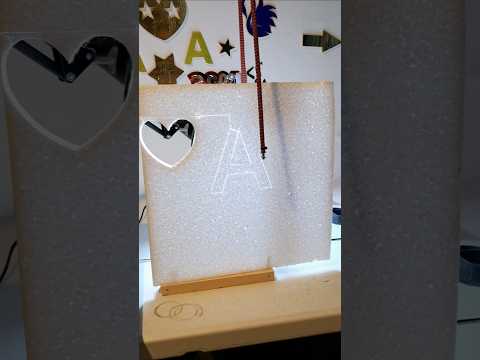
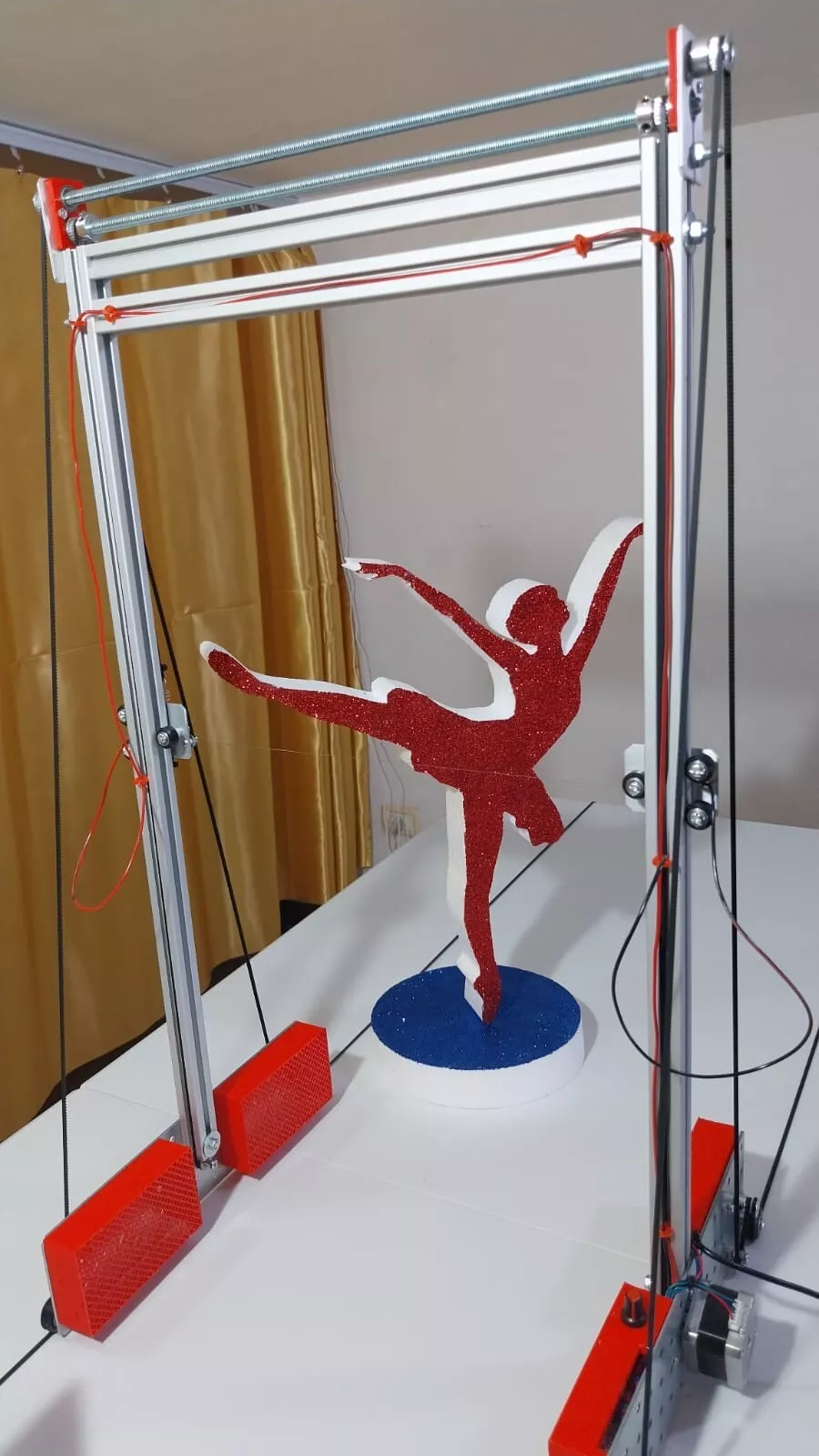
CostyCNC foam cutter
Hobby
CostyCNC Foam Cutter in action
67 ❤ · 13K views
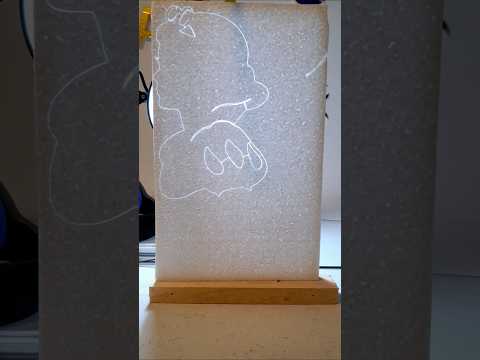
Foam sign cutter
Hobby
Foam sign cutter — satisfying cut
52 ❤ · 11K views
Foam letters
Mini
Cutting foam letters
10 ❤ · 5K views
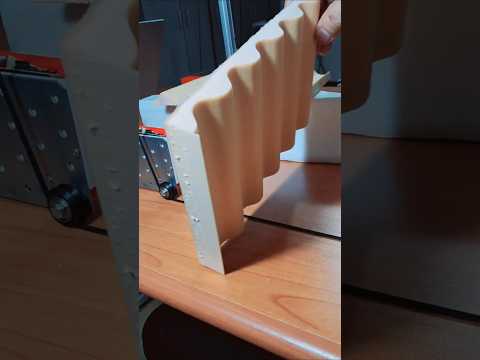
Sinusoid foam
Media
Cut sinusoid foam — CostyCNC
9 ❤ · 3K views
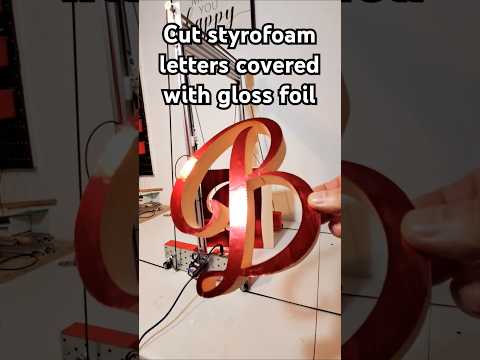
Gloss red foil
Hobby
Cut with Gloss Red Foil
11 ❤ · 809 views
Candy foam
Hobby
Candy Foam Container
14 ❤ · 1.8K views
The CostyCNC machines
All on eBay →
CostyCNC Hobby
CostyCNC Hobby
Ideal for creative projects and scale modeling. The first step into the CNC world.
Work area150×30×8 cm
Motors28BYJ-48 + A4988
BoardMKS DLC32 WiFi
Power12V 3A
€125 / Italy
eBay
Best seller
CostyCNC Mini
CostyCNC Mini
Perfect for small projects and rapid prototyping. The most popular model.
Work area150×40×15 cm
Motors28BYJ-48 + A4988
BoardMKS DLC32 WiFi
Power12V 3A
€210 / Italy
eBay
CostyCNC Media
CostyCNC Media
For larger projects. NEMA 17 motors, extended work area.
Work area250×50×30 cm
MotorsNEMA 17 + A4988
BoardMKS DLC32 WiFi
Power24V 5A
€410 / Italy
eBay
CostyCNC XBig
CostyCNC XBig
Maximum area for professional projects and continuous production.
Work area250×90×90 cm
MotorsNEMA 17 + A4988
BoardMKS DLC32 WiFi
Power12V + 60V 5A
€600 / Italy
eBay
CostyCNC is not for everyone
Better to say it before purchase

✔ It's for you if…

  • You want to cut EPS or XPS foam easily from your own image
  • You're a hobbyist, modeler, decorator, curious craftsperson
  • You've never used a CNC machine and want to start without complications
  • You appreciate a handmade, honest product built by one person
  • You're willing to read the tutorial before using it

✘ It's not for you if…

  • You need industrial performance or high-speed production
  • You want to cut wood, metal, hard plastic or other materials
  • You expect tenth-of-a-millimeter precision — on foam it doesn't exist: the wire consumes 0.5–1mm from heat. No €10,000 machine changes this physics.
  • You want something plug-and-play with no reading
  • You expect industrial design — this is made in a garage
CostyCNC tools

Every tool solves a real problem reported by customers. No installation, no registration.

🌡️
Temperature and speed
90% of cutting errors come from wire too hot or too fast. Read before you start.
⚙️
Belt and lost steps
Cut coming out crooked or shifted? Almost always it's belt tension or lost motor steps.
🚀
Quick guide — first steps
From WiFi connection to first cut. Step by step, with screenshots. For those who just arrived.
🔧
Firmware restore
Machine not responding or stuck? Complete guide to restoring the MKS-DLC32 firmware.
💻
CH341 driver — downgrade
Windows not recognizing the USB port? The new CH341 driver has a known bug. Here's how to fix it.
🧰
Spare parts
Worn wire, belt to replace, burned driver. Spare parts available for all models.
What they say about CostyCNC
All reviews →
★★★★★

"Exceptional machine and Mr. Costy always available — even though I wrote to him more than 10 times in a month he always helped me and was very kind. HIGHLY RECOMMENDED"

— maspi-254204, eBay
★★★★★

"The seller was very helpful in answering questions and giving instructions. The product worked as advertised. I am very satisfied with purchase and looking forward to continued business."

— antstu-37, eBay
★★★★★

"Perfect machine, meticulously handcrafted. Thanks to the tutorials and software, creating is almost child's play. Congratulations again to the designer."

— emilio.lisi, eBay
Clear answers
Does CostyCNC only cut foam?
Yes. It's designed specifically for EPS and XPS with hot wire. It does not cut wood, metal or hard plastic.
Do I need to install anything on my PC?
No. The Image to GCode software runs in Chrome browser, no installation needed. USB and WiFi connection work via Web Serial API — Chrome only.
What images can I use?
Any black and white image: JPG, PNG, BMP, SVG. The cleaner and simpler the image, the more precise the cut.
Why do Hobby/Mini use 28BYJ-48 motors?
A deliberate choice to lower the price. For cutting foam at these dimensions they're more than sufficient. Those needing more torque get Media or XBig with NEMA 17.
Is there support after purchase?
Yes. You can contact me directly — the eBay reviews speak clearly. It's not a 24/7 call center — I'm the one who answers.
What mistakes do beginners make?
Speed too high (burns instead of cutting) and images too complex. Reading the tutorial before starting avoids 90% of problems.

The place you enter
when you think
you can't enter

CostyCNC exists for the curious carpenter, the mom who wants to make decorations, the mechanic who has never written a line of code but has all the talent to do it.

The Hobby and Mini models use 28BYJ-48 motors, Media and XBig use NEMA17. A deliberate choice — not to save money, but to lower the barrier of entry and make the machine accessible to everyone.

Whoever buys CostyCNC today, learns. Whoever learns, grows. I am the first step on the ladder. Without the first step, you can't climb.

1992
CIP-03, 32KB. Audio cassettes with ASM programs. First contact with registers and machine language.
1995+
ASM and C on Windows 95. All alone, out of curiosity. Not for a certificate.
2000s
HTML, CSS, JavaScript. Always alone, always out of curiosity.
2006
YouTube. Assembly and hardware tutorials when YouTube was 2 years old. 59K views on "Stepper motor — parallel port".
Today
CostyCNC. Machines with MKS-DLC32, modified Potrace algorithm, AVR Assembly in the browser — zero installation.